
Overview:
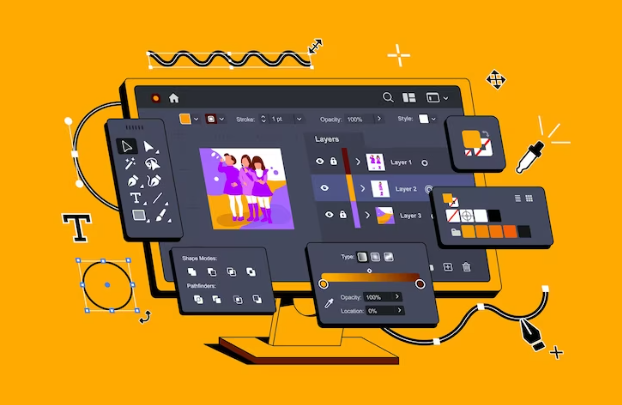
Welcome to our comprehensive Adobe Photoshop, Illustrator, and Graphic Design Bundle Course! In this course, you'll delve into the intricate world of graphic design, mastering the essential tools and techniques of Adobe Photoshop and Illustrator to create stunning visual content. Through a series of structured lessons, hands-on projects, and practical exercises, you'll learn everything from the fundamentals of design principles to advanced image editing and vector graphics creation. With a focus on real-world applications, you'll explore various design projects, including logo creation, poster design, digital illustration, and more. This course is perfect for beginners looking to kickstart their journey in graphic design as well as professionals seeking to enhance their skills and stay updated with the latest industry standards. By the end of this course, you will be equipped with the knowledge and skills to confidently tackle diverse design projects and unleash your creativity in the digital realm. Whether you're a student, entrepreneur, marketer, or aspiring designer, this course will empower you to bring your ideas to life with precision and flair.- Interactive video lectures by industry experts
- Instant e-certificate and hard copy dispatch by next working day
- Fully online, interactive course with Professional voice-over
- Developed by qualified first aid professionals
- Self paced learning and laptop, tablet, smartphone friendly
- 24/7 Learning Assistance
- Discounts on bulk purchases
Main Course Features:
- Comprehensive coverage of Adobe Photoshop and Illustrator.
- Hands-on projects and practical exercises.
- Guidance from experienced instructors.
- Access to downloadable resources and project files.
- Self-paced learning with lifetime access to course materials.
Who Should Take This Course:
- Beginners interested in graphic design.
- Professionals seeking to enhance their design skills.
- Students pursuing a career in design or related fields.
Learning Outcomes:
- Master the essential tools and techniques of Adobe Photoshop and Illustrator.
- Understand design principles and their application in creating visual content.
- Create captivating designs for various mediums, including print and digital platforms.
- Develop skills in photo editing, digital illustration, and vector graphics creation.
- Build a professional portfolio showcasing your design projects.
- Learn to conceptualize and execute design projects efficiently.
- Stay updated with the latest trends and techniques in graphic design.
- Gain confidence in your design abilities and unleash your creativity.
Certification
Once you’ve successfully completed your course, you will immediately be sent a digital certificate. All of our courses are fully accredited, providing you with up-to-date skills and knowledge and helping you to become more competent and effective in your chosen field. Our certifications have no expiry dates, although we do recommend that you renew them every 12 months.Assessment
At the end of the Course, there will be an online assessment, which you will need to pass to complete the course. Answers are marked instantly and automatically, allowing you to know straight away whether you have passed. If you haven’t, there’s no limit on the number of times you can take the final exam. All this is included in the one-time fee you paid for the course itself.
We guarantee that all our online courses will meet or exceed your
expectations. If you are not fully satisfied with a course - for
any reason at all - simply request a full refund. We guarantee no
hassles. That's our promise to you.
Go ahead and order with confidence!

Easy to Access
Let's Navigate Together
Course Curriculum
| Adobe Photoshop | |||
| No lessons available in this section. | |||
| Getting Started | |||
| Introduction | |||
| The Photoshop CS3 Screen | |||
| File Management Basics | |||
| Modifying Your Photoshop Layout | |||
| Getting Help | |||
| Exploring Photoshop | |||
| Introduction to the Photoshop Toolbox | |||
| Using Tool Presets | |||
| Introduction to the Photoshop Palettes | |||
| Getting Started | |||
| Printing your Image | |||
| Images and Color | |||
| Understanding Digital Images | |||
| Image Size and Resolution | |||
| Working with Your Canvas | |||
| Working with Color | |||
| Working with Color Tools | |||
| Image Basics | |||
| Making Selections | |||
| Manipulating Selections | |||
| Editing with Selections | |||
| Adjusting Your Image | |||
| Basic Editing Tools | |||
| Adobe Illustrator | |||
| Illustrator Course Outline | |||
| The Power of Adobe illustrator | |||
| Achieve the best learning experience | |||
| Illustrator Fundamentals & Basics | |||
| Illustrator Documents | |||
| Ilustrator workspaces & Properties Panel | |||
| Artboards | |||
| Illustrator Navigation & zooming | |||
| Illustrator Prefrences & Settings | |||
| Protected: Illustrator Basic geometric shapes | |||
| Illustrator Transformation & Rotation (resized) | |||
| Protected: Illustrator Pathfinder & shape builder tool | |||
| Illustrator Selection tools & methods | |||
| Grouping elements in illustrator | |||
| illustrator Layers & Arranging elements | |||
| Protected: Illustrator Align & distribute panel | |||
| Protected: Illustrator Gudies, Grids & Rulers | |||
| Excercise (layers, selection, pathfinder, guides, coloring, Artboards) | |||
| Colors, Appearance & Graphic Styles in Illustrator | |||
| Protected: Illustrator Stroke Panel | |||
| Illsutrator color panels ( color, swatches, themes, guide) | |||
| Protected: Illustrator Gradiant colors panel | |||
| Illustrator Appearane & Graphic style panels | |||
| Illustrator effects | |||
| Protected: Exercise (Appearance, Graphic Style, Gradients, strokes) | |||
| Drawing Tools & Techniques | |||
| Protected: Illustrator pencil tool | |||
| Illustrator Brush tool | |||
| Drawing modes & blob brush tool | |||
| Illustrator Pen Tools | |||
| Illustrator curvature tool | |||
| Pen Tools & curvature tool exercise | |||
| Illustrator drawing modifying tools | |||
| illustrator Transform & Liquify tools | |||
| illustrator puppet warp tool | |||
| illustrator envelope distort | |||
| Drawing Symmetric Shapes | |||
| Drawing Concentric Symmetrical design | |||
| Illustrator Clipping Masks | |||
| Illustrator Opacity Masks | |||
| illustrator live paint bucket tool | |||
| Recolor Artwork | |||
| Protected: Exercise Complex Drawing | |||
| Illustrator Complex Drawing techniques explained | |||
| Illustrator Brushes | |||
| Illustrator Art Brushes | |||
| Illustrator Scatter Brush | |||
| Protected: illustrator Bristle Brush | |||
| Illustrator Calligraphic brush | |||
| Illustrator Pattern brush | |||
| Illustrator Images brushes | |||
| Exercise (Brushes) | |||
| Design With images in illustrator | |||
| Protected: handling images in illustrator | |||
| images modifications before tracing | |||
| Tracing images in illustrator | |||
| Enhancing traced Vectors & coloring hints | |||
| Exercise (Images) | |||
| Typography in Illustrator | |||
| Illustrator Typography Anatomy & Character control | |||
| illustrator Paragraphes control | |||
| Illustrator Chracter & paragraph styles panels | |||
| Illustrator Fonts (Filtering, Variable, glyphs, stylistic sets, open type panel, svg) | |||
| illustrator Touch type tool | |||
| Illustrator type on a path tools | |||
| Clipping Typography Masks | |||
| Illustrator Typography Art directions & trending visual effects | |||
| illustrator type envlope distort | |||
| illustrator text wrap- | |||
| Exercise (Typography Composition) | |||
| Illustrator Advanced Techniques & Tricks | |||
| Illustrator blend tool | |||
| Protected: illustrator perspective drawing | |||
| 67 Illustrator Symbols- | |||
| Protected: Creating Patterns in Illustrator | |||
| Protected: illustrator Graphs | |||
| illustrator gradiant mesh | |||
| Exporting & Finalizing Artwork in illustrator | |||
| exporting illustrator files & save for web | |||
| Protected: Preparing & exporting illustrator file for printing | |||
| Illustrator Asset Export panel | |||
| Creative cloud & libraries | |||
| Illustrator export for screens, save for web & Archiving files | |||
| Graphic Design | |||
| No lessons available in this section. | |||
| Section 01 | |||
| Week 1: Lesson 1 | |||
| Week 1: Lesson 2 | |||
| Week 2: Lesson 1 | |||
| Week 2 : Lesson 2 | |||
| Week 3: Lesson 1 | |||
| Week 3: Lesson 2 | |||
| Week 4: Lesson 1 | |||
| Week 4: Lesson 2 | |||
| Section 02 | |||
| Week 1: Lesson 1 | |||
| Week 1: Lesson 2 | |||
| Week 2: Lesson 1 | |||
| Week 2: Lesson 2 | |||
| Week 3: Lesson 1 | |||
| Week 3: Lesson 2 | |||
| Week 4: Lesson 1 | |||
| Week 4: Lesson 2 | |||
| Section 03 | |||
| Week 1: Lesson 1 | |||
| Week 1: Lesson 2 | |||
| Week 2: Lesson 1 | |||
| Week 2: Lesson 2 | |||
| Week 3: Lesson 1 | |||
| Protected: Week 3: Lesson 2 | |||
| Week 4: Lesson 1 | |||
| Week 4: Lesson 2 | |||